
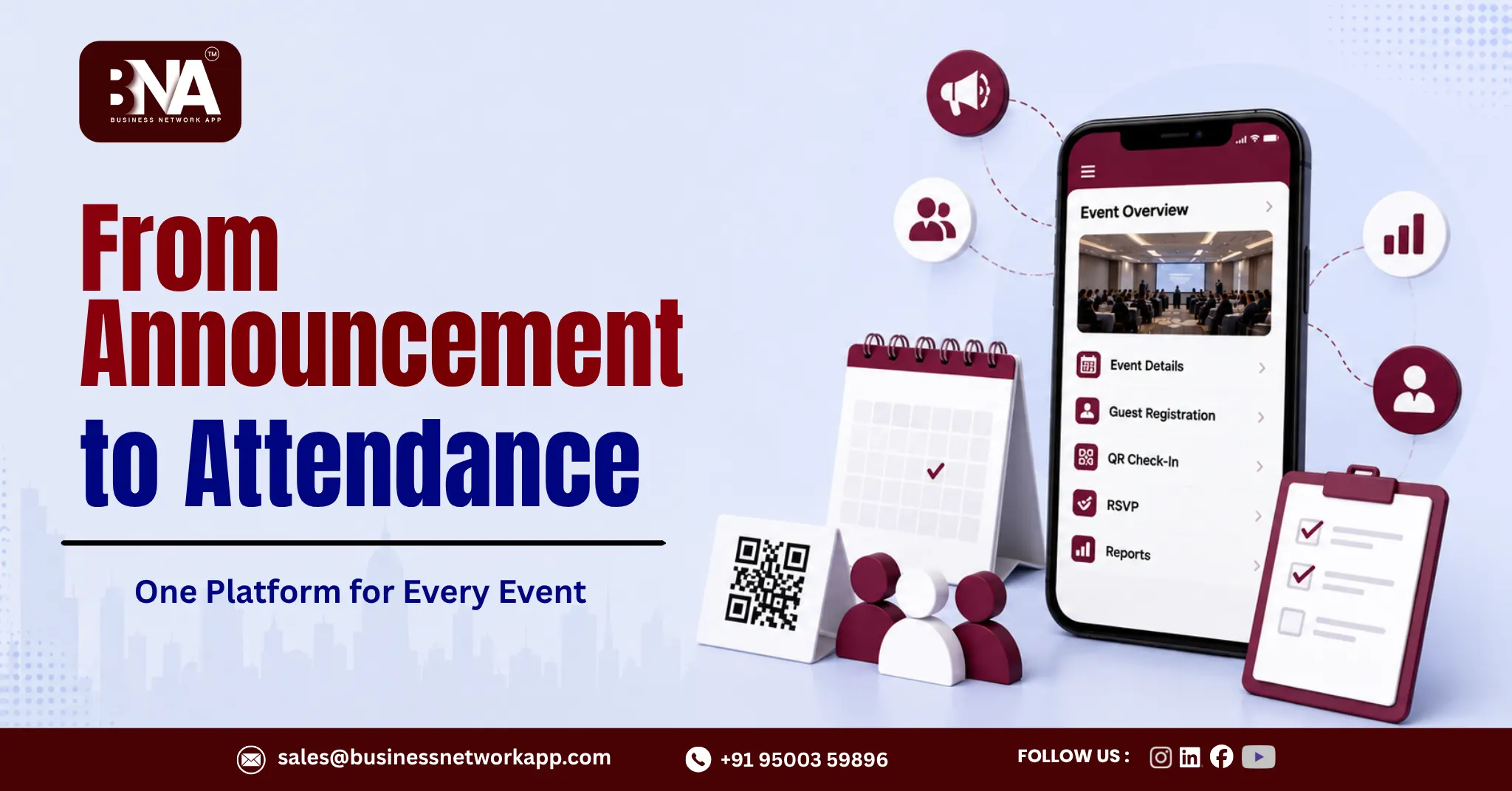
Planning a networking event shouldn’t feel harder than actually attending one. Yet many business forums still juggle emails, spreadsheets, and paper sign-in sheets just to run a single meeting.
Business Network App solves this with built-in Event Creation and Management, bringing announcements, RSVPs, guest registration, and attendance tracking into one connected platform, purpose-built for business forums across Chennai, Tamil Nadu, and globally.
In this article, we’ll explore why streamlined event management matters and how Business Network App takes your forum from announcement to attendance without the usual chaos.
Why Event Management Matters for Business Forums
Business networking forums thrive on consistent, well-attended events. But even the best meeting agenda can’t overcome confusing logistics.
Strong event management inside the Business Network App ensures that:
- Members always know what’s happening and when, through real-time News & Updates.
- Guest registration is simple through built-in Guest Management.
- Attendance tracking is accurate through QR Code Check-In.
- Admins spend less time on admin work and more time growing the forum.
The Traditional Event Planning Problem
Many business forums still rely on scattered tools, one platform for announcements, another for RSVPs, and manual sign-in sheets for attendance. This creates real problems.
- Missed announcements. Messages get buried in email or WhatsApp.
- Inaccurate headcounts. Without a centralized system, admins guess at attendance.
- Manual attendance tracking. Sign-in sheets are slow and error-prone.
- Disconnected guest management. Chief guests and visitors get lost in the shuffle.
Business Network App was built specifically to remove these friction points from business forum operations.
What Seamless Event Management Looks Like Inside Business Network App
1. Centralized Event Creation and Management
Admins create and manage events directly from the backend dashboard, with details flowing instantly to every member’s mobile app under News & Updates.
2. QR Code Check-In for Fast Attendance
Instead of paper sign-in sheets, members check in at events using QR code scanning, giving admins accurate, real-time attendance data instantly.
3. Built-In Guest Management
Visitors and chief guests can be registered and tracked directly inside the app, with a dedicated Visitors List Management panel on the backend.
4. Role-Based Speech Timer
Once members are checked in, Business Network App’s role-based Speech Timer helps admins run structured, on-time meetings, keeping every session professional and efficient.
5. Reports Management
After the event, admins can pull detailed reports on attendance, visitor registration, and meeting activity, all from the Reports Management panel in the backend.
Benefits of Streamlined Event Management
| Feature | Benefit to Admins | Benefit to Members |
| Event Creation and Management | Centralized control over every event | Real-time updates in one app |
| QR Code Check-In | No manual sign-in sheets to manage | Fast, seamless check-in experience |
| Guest Management | Organized visitor and chief guest tracking | Smooth registration for guests |
| Role-Based Speech Timer | Structured, on-time meetings | Clear, fair speaking time for everyone |
| Reports Management | Data-driven planning for future events | More relevant, well-run future meetings |
How Better Event Management Boosts Referral Culture
Events aren’t just meetings, they’re where referrals often begin. Face-to-face conversations at business forum events frequently lead directly to 121 Meetings and referrals.
When event logistics run smoothly through Business Network App, attendance stays consistent. Higher attendance means more relationship-building opportunities, which directly strengthens Referral Tracking activity across the forum.
Step-by-Step: Running a Well-Managed Forum Event with Business Network App
Step 1: Create the Event on the Backend
Admins use Event Creation and Management to set the date, time, location, and details.
Step 2: Announcements Reach Members Instantly
Event details flow automatically into the mobile app’s News & Updates feed.
Step 3: Guests and Visitors Register Easily
Guest Management allows visitors and chief guests to be added and tracked ahead of the event.
Step 4: Members Check In with QR Codes
On the day of the event, QR code scanning replaces manual sign-in sheets for fast, accurate attendance.
Step 5: Run the Meeting with the Speech Timer
The role-based Speech Timer keeps the agenda structured and on schedule.
Step 6: Review Reports After the Event
Admins use Reports Management to review attendance, visitors, and activity trends for future planning.
Common Event Management Mistakes to Avoid
- Relying on too many separate tools. Business Network App consolidates announcements, RSVPs, and attendance into one platform.
- Skipping attendance tracking. QR Code Check-In removes this problem entirely.
- Losing track of guests. Guest Management keeps visitor and chief guest details organized.
- Running unstructured meetings. The role-based Speech Timer keeps sessions on track.
- Ignoring post-event data. Reports Management makes it easy to review and improve.
Why an All-in-One App Makes the Difference for Chennai and Tamil Nadu Forums
Business forums across Chennai, Coimbatore, Madurai, Salem, and Trichy use Business Network App to run multi-chapter events with consistency. Because Chapter Admin roles, Region Creation and Management, and Chapter Transfer Approval are all built into the backend, even large, multi-region communities can manage events at scale without losing control.
FAQ: Event Management for Networking Groups
1. How does the Business Network App handle event announcements?
Admins create events through Event Creation and Management on the backend, and details appear instantly in members’ News & Updates feed on the mobile app.
2. How does attendance tracking work at events?
Business Network App uses QR Code Check-In, letting members scan in quickly for accurate, real-time attendance data.
3. Can guests and chief guests be managed through the app?
Yes. Guest Management lets admins register and track visitors and chief guests directly inside the platform.
4. Does the app help keep meetings on schedule?
Yes. The role-based Speech Timer helps admins run structured, on-time business forum meetings.
5. Can admins review event data after it happens?
Yes. Reports Management provides detailed post-event reporting on attendance, visitors, and overall activity.
6. Does the Business Network App support multi-chapter or multi-region events?
Yes. With Region Creation and Management, Chapter Creation and Management, and Chapter Transfer Approval, the app is built for forums running events across multiple chapters and regions.
Conclusion: Simplify Events, Strengthen Your Forum
Great business forum events don’t happen by accident, they happen through smart, streamlined event management. From the first announcement to the final QR check-in, Business Network App removes the friction that usually slows admins down.
Ready to simplify your next event from start to finish? Book a demo of Business Network App and bring announcements, guest management, and attendance tracking together in one app.